
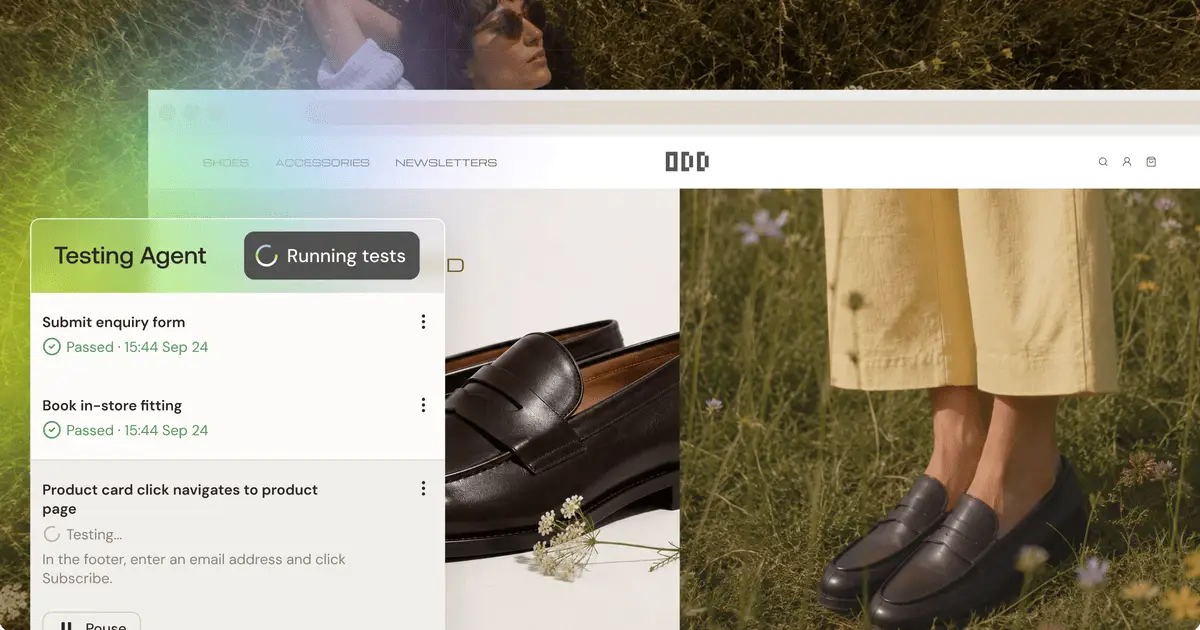
Know it works before you ship.

You publish the site, send the link to your client, and close the laptop. Two days later they mention the contact form. It never showed a confirmation. Nobody else said anything either, because most people who hit a broken step don’t write in to report it. They leave.
The build agent told you it was done. It looked right in preview. Testing Agent closes the gap between that and “it works for the person using it.” Before you publish, a real browser uses your app the way your visitors will and checks that every flow does what you expect.
What Testing Agent checks
Testing Agent checks flows: the things a visitor is supposed to get done in your app. Links and navigation, buttons and CTAs, forms, and interactive pieces like carousels, tabs, modals, filters, and search. It also covers pages behind login, flows that create their own data, and multi-step flows like a booking or onboarding wizard that finish within about 10 minutes.
Here’s what real tests look like:
- “Hero CTA opens the pricing page.”
- “Contact form submits and shows a thank-you message.”
- “Add a task, then see it in the task list.”
- “Add to cart, open the cart, and reach the checkout page.”
No setup, no test code
Start from the Publish window or the Testing Agent icon in the Studio top bar. The agent scans your app and suggests up to six flows to test, right in the chat. You pick the ones that matter. Need more? Add more tests lets the agent scan again, or you can describe your own flows in plain words.
Each test is a goal written in plain English, with the outcome you expect at the end. You never write a line of test code.
A real browser, like a real visitor
When you run your tests, a real browser clicks, types, and navigates through your app on the Studio preview, one test at a time. You can watch every step live.
Each test ends as Passed or Failed, with the reason in plain words. A failure reads like this: “Both CTA buttons point to a broken link and return a 404 page instead of opening About us.” Every run is saved in Scan history with a video recording, so you can rewatch exactly what happened.
Failures come back with a fix
No error logs to dig through. When a test fails, click Fix with AI and the agent fixes it in chat. Then you choose: run the test again, or skip it.
You stay the one making the call. Testing Agent finds the problem and does the legwork on the fix. You decide what ships.
Test again after every change
A Passed result means the flow worked on the version you tested. Every change you make, and every fix the agent makes, creates a new version, and even a small change can break a flow that passed before. Your tests are saved per project, so after any change that touches a tested page or flow, run them again.
It never blocks you
A failed test is a heads-up, not a gate. You can always publish.
Testing Agent is on every plan, with no limit on how often you run it. About 12 to 15 tests cost one credit, so a full six-test check is roughly half a credit. Fix with AI uses credits like any other prompt.
What it doesn’t do today
Testing Agent checks the flows you pick, on your Studio preview, at desktop size. It doesn’t test your published site or custom domain, mobile layouts, or login, signup, and password reset flows. Every test starts already signed in on a test account.
It can submit a form but can’t confirm that an email or message arrived. It doesn’t complete real payments or run flows that need existing data, a second user, or an admin role. And it checks that flows work, not how they look or read. Security, speed, SEO, and accessibility belong to Security Check and the other Production Ready checks in the Studio.
Start with your next publish
Pick the one flow your client would notice first if it broke. Usually it’s the contact form, the booking, or the path to checkout. Run it, watch the replay, and fix what fails. Then run it again after your next change.
FAQ
How much does it cost?
About 12 to 15 tests cost one credit, so a full six-test check is roughly half a credit. Fix with AI uses credits like any other prompt.
Which plans get it?
Every plan, with no limit on how often you run it.
Do I need to write tests?
No. The agent scans your app and suggests up to six flows to test. You pick the ones that matter, or describe your own in plain words.
Does a failed test stop me from publishing?
No. A failed test is a heads-up. You can always publish.
Does it test my live site?
No. Tests run on your Studio preview, before you publish.
Does it check that my contact form email arrives?
No. It sees only the browser, so it can submit the form and check for the confirmation on screen, but it can’t check an inbox.
