

How to Build an App With AI: The Complete Guide

Building an app with AI used to mean hiring a dev team and then waiting three months while you hoped the spec still made sense by launch day. That pipeline has shortened considerably. Today, a founder with a clear idea and a few hours can produce a working, hosted product without writing a line of code by hand.
That does not mean every tool is the same, or that the process runs itself. You still need to know what you want and how to describe it, then pick which platform fits your goal. This guide walks through the full arc from raw idea to published app, alongside a comparison of the main AI builders in use right now. One option worth knowing early is Sticklight. Built by the Elementor team. Powered by Claude.
- A well-scoped idea document is the single most underrated step in the process. It quietly determines everything downstream.
- Your first prompt should describe what the app does for a user, not what it looks like. The AI figures out the interface.
- Most AI builders let you iterate through chat, yet only a few also give you direct canvas or code access for precision edits.
- One-click skill systems, like Sticklight’s, can apply SEO structure or accessibility fixes or design polish in seconds. That is work which once took an afternoon.
- Hosting and publishing are part of the product, not a separate project. Choose a platform that handles both from the start.
Step 1: Define what you are actually building.
Before you open any AI builder, write two things on a blank page. The user, and the action. Not “a productivity app,” because that is a category rather than an idea. Something like “a freelance writer who needs to track client invoices and see which ones are overdue at a glance” is a real product.
This distinction matters more than it sounds. AI builders are generative, which means they will produce something confident and plausible no matter how vague your input happens to be. If your idea is fuzzy, the AI will make decisions for you, and you will spend the next hour correcting them. A tight scope note takes ten minutes. The payoff is a first build that lands closer to what you wanted.
Write down the core actions the user needs to take. Three to five is a reasonable scope for a first version. If your list hits eight, cut it in half. You can always add features after you have a working app in front of you.
Step 2: Write a prompt that actually works.
The prompt is your spec. Treat it that way.
A good opening prompt for an AI builder covers four things. Who the user is, what they need to do, what the output looks like (a dashboard or a form or a card view), plus any constraints worth stating up front, such as no login required or mobile-first or data stays local. You do not need to specify a tech stack. The AI handles that part for you.
Here is a pattern that works reliably:
“Build an app for [user type] who needs to [core action]. It should show [key views or screens]. Keep the interface [tone: minimal / clean / bold]. Do not include [anything you specifically do not want].”
Avoid describing the design in exhaustive detail in the first prompt. Get the structure right first. You will refine visuals in a later step, and most platforms let you do that visually anyway. One more thing. Read your prompt back before you submit it. If it takes more than thirty seconds to read aloud, it is probably too long.
Step 3: Build, and understand what the AI is actually doing.
When you submit your prompt, the AI generates a full app structure. Pages and components, data models, and often some basic styling. This takes anywhere from a few seconds to a couple of minutes depending on the platform.
What you see first is a draft, not a finished product. Expect placeholder content, generic color choices, and a few structural decisions you will want to change. That is fine. The point of the first build is to see whether the bones are right.
Look at the generated app with this checklist in mind. Do the main screens match what you described? Is the navigation logical? Are the data fields you need present? If the answers are yes, you are in good shape. If a screen is missing entirely, that usually means the prompt did not describe it clearly enough, so go back and add a sentence.
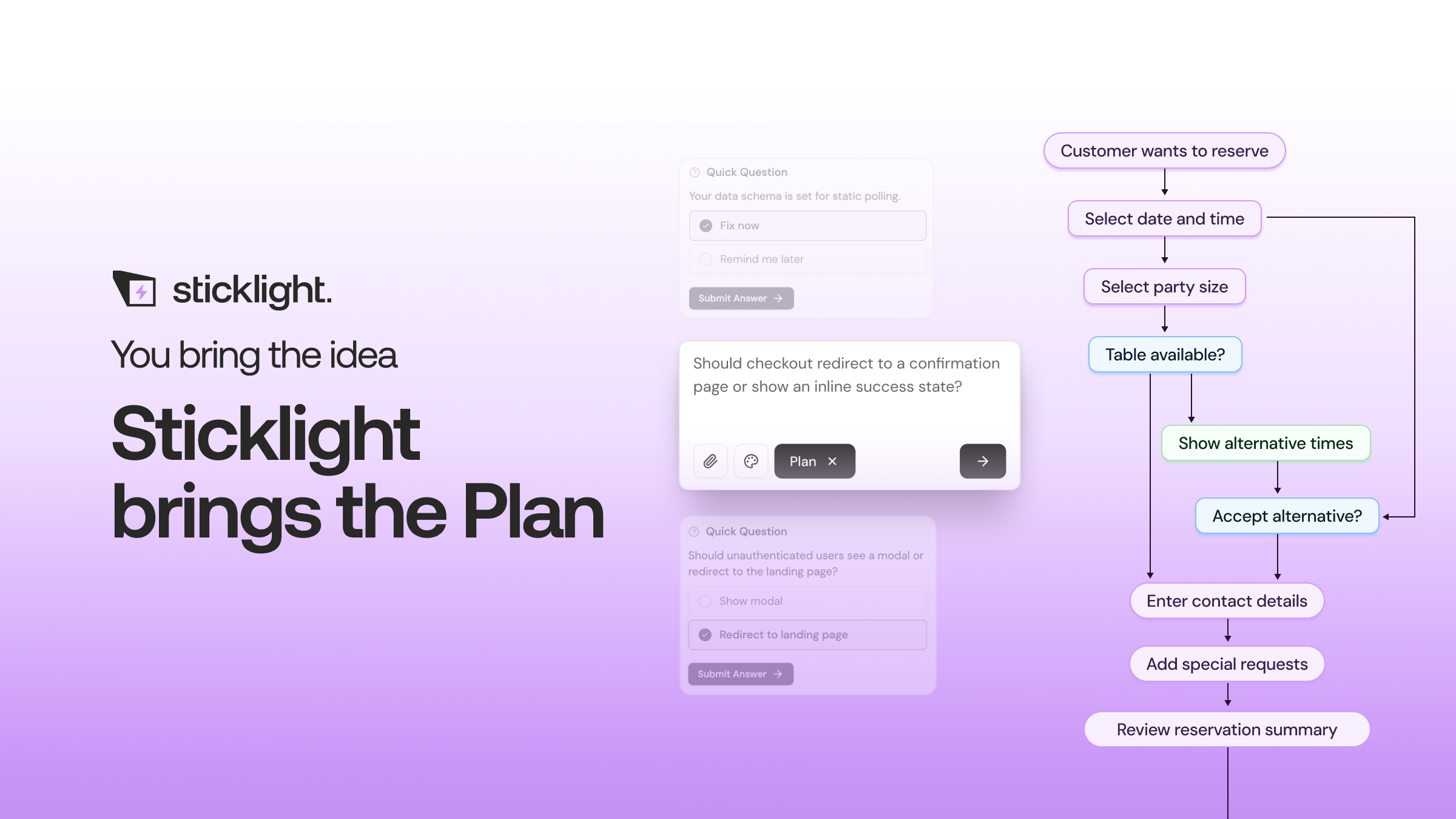
Most AI builders handle this generation phase differently under the hood. Some produce React components wired to a cloud backend. Others generate a visual-first model that maps to a database. The difference matters less at this stage than whether the output matches your mental model of the app.
Step 4: Refine with visual editing and direct prompts.
Refinement is where most of your time goes, and it is worth understanding the two modes available in most tools.
The first is chat-based iteration. You type a follow-up instruction (“move the invoice total to the top of the card” or “add a filter by client name”) and the AI updates the app. This is fast for structural changes. It works well when the change is clear and scoped.
The second mode is direct editing on a visual canvas. You click a component, drag it, resize it, or change its properties in a panel. This is the right tool for precise layout work, the kind where you know exactly what you want but it is faster to click than to describe.

Platforms differ significantly here. Some are chat-only, which means every change goes through a prompt. Others, like Sticklight, give you both a visual canvas and direct code access in the same workspace. That combination covers the full range of refinement scenarios without forcing you to pick one mode over the other.
Work through the app screen by screen. Fix layout issues first, then content, then styling. Doing it in that order avoids rework, because there is no point perfecting the color of a button you might move later.
Step 5: Apply skills and optimizations.
Once the app structure is solid, you want it to work well in the real world. That means accessibility and SEO structure, plus performance and design consistency. Traditionally, each of those is a separate workstream that someone has to own.
Sticklight’s Skills System handles these with one click per skill. An accessibility skill audits contrast ratios and ARIA labels along with keyboard navigation. An SEO skill applies a proper heading hierarchy, sensible meta descriptions, and semantic markup. A design skill applies spacing and typographic consistency across the whole app.
These are not just suggestions, since they get applied directly to the app. The practical implication is that a solo builder can ship an app that meets the same baseline standards a larger team would enforce through review cycles.
If you are using a platform without a skill system, do this manually. Run an accessibility checker (Lighthouse in Chrome DevTools is free), review your heading structure, and confirm that every interactive element has a visible focus state. It is slower, but the steps are the same.
Step 6: Publish and host.
Publishing an app used to be a separate project. You built in one place and then deployed somewhere else, configured a domain, set up SSL, and handled scaling on top of all that. AI builders have collapsed most of this.
On platforms that include hosting, you press one button and the app is live at a URL. That URL is shareable immediately. For a prototype or early version, that is often all you need.
Before you share the link, run through this list. Does the app load on mobile? Are all the core actions functional? Is there any placeholder text still visible? Does the URL make sense for the context you are sharing it in?
If you need a custom domain, most platforms support that through a settings panel. Point your DNS, wait for propagation, done. The app is published and hosted without a separate infrastructure conversation.
Comparing the main AI app builders.
The field has a handful of strong options, each with a different center of gravity. The table below covers the ones most teams consider when starting a new project.
| Platform | Best for | Editing model | Hosting included | Notable feature |
|---|---|---|---|---|
| Sticklight | Full-stack apps, solo builders, teams | Visual canvas + code + chat | Yes | Skills System (one-click SEO, accessibility, design); built by Elementor team, powered by Claude |
| Lovable | Marketing sites, rapid prototyping | Chat-based | Yes | Fast first-draft generation; strong for front-end-heavy projects |
| V0 by Vercel | Front-end developers, Next.js projects | Component generation + local dev | Via Vercel | Generates React components that drop into an existing codebase |
| Replit | Learners, code-curious builders | AI agent + cloud IDE | Yes | Full code visibility; good for understanding what the AI built |
| Bubble | Database-heavy apps, complex logic | Visual programming panels | Yes | Mature plugin ecosystem; deep custom logic; steeper learning curve |
| Base44 | Backend systems, integrations | Agent-driven generation | Yes | Oriented toward backend workflows and service integrations |
No single platform wins every category. The right choice depends on what you are building and how you prefer to work. If you want to stay in chat and ship fast, Lovable or Replit might fit. If you are a developer who wants to own the codebase from day one, V0 keeps you in your local environment. If you want a complete path from prompt to a published and hosted product with optimization tools built in, Sticklight covers that arc without requiring you to leave the platform.
The builders who get the most out of AI tools are the ones who treat the first output as a starting point rather than a draft to fix. They scope tightly, read what the AI produced, and then refine deliberately. The people who struggle are the ones who expected the first prompt to be enough.
Itamar Haim, Web Development Specialist
What makes a good app idea for AI builders.
Not every idea is equally suited to the current generation of AI builders. Some work very well. Others require capabilities that are still emerging.
Ideas that work well include internal tools with a clear data model, such as expense trackers or client portals or inventory dashboards. Content-forward apps where the structure matters more than complex logic also fit nicely. So do prototypes intended for user feedback rather than immediate scale.
Ideas that need more care include apps with real-time collaboration across many users. Financial applications where data integrity is non-negotiable belong in this group too, as does anything that requires deep integration with a legacy system on day one. These are buildable, yet they require more planning in the prompt phase and more manual review during refinement.
One pattern worth noting: the best AI-built apps tend to do one thing well rather than several things adequately. If you catch yourself adding a seventh feature to your scope list, stop and ask whether the app actually needs it for the first version.
Sticklight agents: what is coming.
Sticklight is building toward an agent layer, with autonomous agents that can take multi-step actions inside your app on behalf of a user or a workflow. This is currently listed as coming soon on the platform. When it ships, it will extend what is already a capable builder into territory that today requires a separate automation tool. Worth watching.
Real lessons show up mid-task, not before it. Read the instructions, then let the actual clicking teach you the rest.
Itamar Haim
Built by the Elementor team. Powered by Claude.
Let it glow.
