
Entertainment app development (and how to build one)

Entertainment app development is the work of turning a media, gaming, or fan-facing idea into a working product with a content layer, an account system, and a way to make money from it. It’s different from building a marketing website because the product itself is the destination. People come back to watch, listen, browse, or connect, not just to read a page once and move on.
For founders and product managers, the real question isn’t whether an entertainment app is possible. It’s which build path fits the team and the timeline, and how much of the first version actually needs to exist on day one. Here’s what these apps commonly need, the honest tradeoffs between build paths, and a concrete way to get a working version live with Sticklight.
- Entertainment apps share a common shape: content feeds, media playback, accounts, recommendations, community features, and monetization.
- No single build path is right for everyone. Custom development, no-code tools, and prompt-based platforms trade speed for control in different ways.
- Sticklight lets you prompt the core experience and an admin dashboard together, then refine both by hand on the canvas.
- Skills add packaged expertise, such as performance and accessibility, without hiring a separate specialist for each concern.
- A realistic first version covers one core content type and one monetization path well, rather than every feature at once.
- Sticklight connects to an existing WordPress or Elementor presence instead of replacing it.
What entertainment app development actually involves
Entertainment app development is the process of turning a media, gaming, or fan-facing idea into a working product with a content layer, an account system, and a business model attached to it. That mix of concerns is what makes these apps harder to scope than they first appear.
A content feed alone is a manageable build. A content feed plus accounts plus recommendations plus a subscription model is a different project, even if each piece looks simple in isolation. Most of the real work here is deciding what belongs in version one and what can reasonably wait.
What every entertainment app needs before launch
Across streaming apps, podcast apps, fan communities, and ticketing or event apps, the same building blocks show up again and again. Knowing them ahead of time makes it easier to plan a first version that actually ships.
- A content feed. A browsable, sortable view of what’s available, whether that’s episodes, articles, shows, or events.
- Media or video playback. A player people can trust, with the controls and quality they expect from any entertainment product.
- User accounts and profiles. A way to sign in, save preferences, and pick up where someone left off.
- Recommendations. Simple at first, often just “more like this” or “recently added,” before it becomes anything more sophisticated.
- Community features. Comments, ratings, follows, or shared lists, depending on how social the product needs to be.
- Monetization. Subscriptions or memberships, or another model that funds the content and the team building it.
None of these need to be perfect on day one. They need to exist in a form real people can use, so the team can learn what actually matters to its audience.
The honest build paths, and what each one costs
There isn’t one correct way to build an entertainment app. The honest answer depends on team size, timeline, and how custom the experience needs to be.
A fully custom build, with an in-house team or an agency, gives the most control over every interaction. It also takes the longest and costs the most, because every screen, every data model, and every integration is built from a blank page.
No-code and low-code app builders move faster for straightforward, form-and-list style apps. They tend to strain once the product needs a genuinely custom feed, player, or recommendation logic that doesn’t fit the builder’s templates.
Prompt-based, AI-assisted platforms sit in between. They can produce a working first version quickly, from a plain-language description of the product. Unlike generic AI builders that produce demos, the goal should be a platform that gets you to a working version fast and still treats it like a real product afterward, with security and search visibility built in rather than added later.
A concrete Sticklight path: prompt the core experience and an admin dashboard
We built Sticklight as the vibe-coding platform for professional web creators, built by the Elementor team and powered by Claude. It turns a plain-language prompt into production-ready websites, apps, dashboards, CMS, and internal tools, so the same flow that builds your content feed can build the admin side of the product too.
For an entertainment app, that means prompting two things together from the start: the core experience your audience sees, such as the feed, the player, and the profile, and an admin dashboard your team uses to manage content, moderate community activity, and see who has signed up. Building both from the same prompt-first flow keeps them consistent with each other instead of stitched together later.
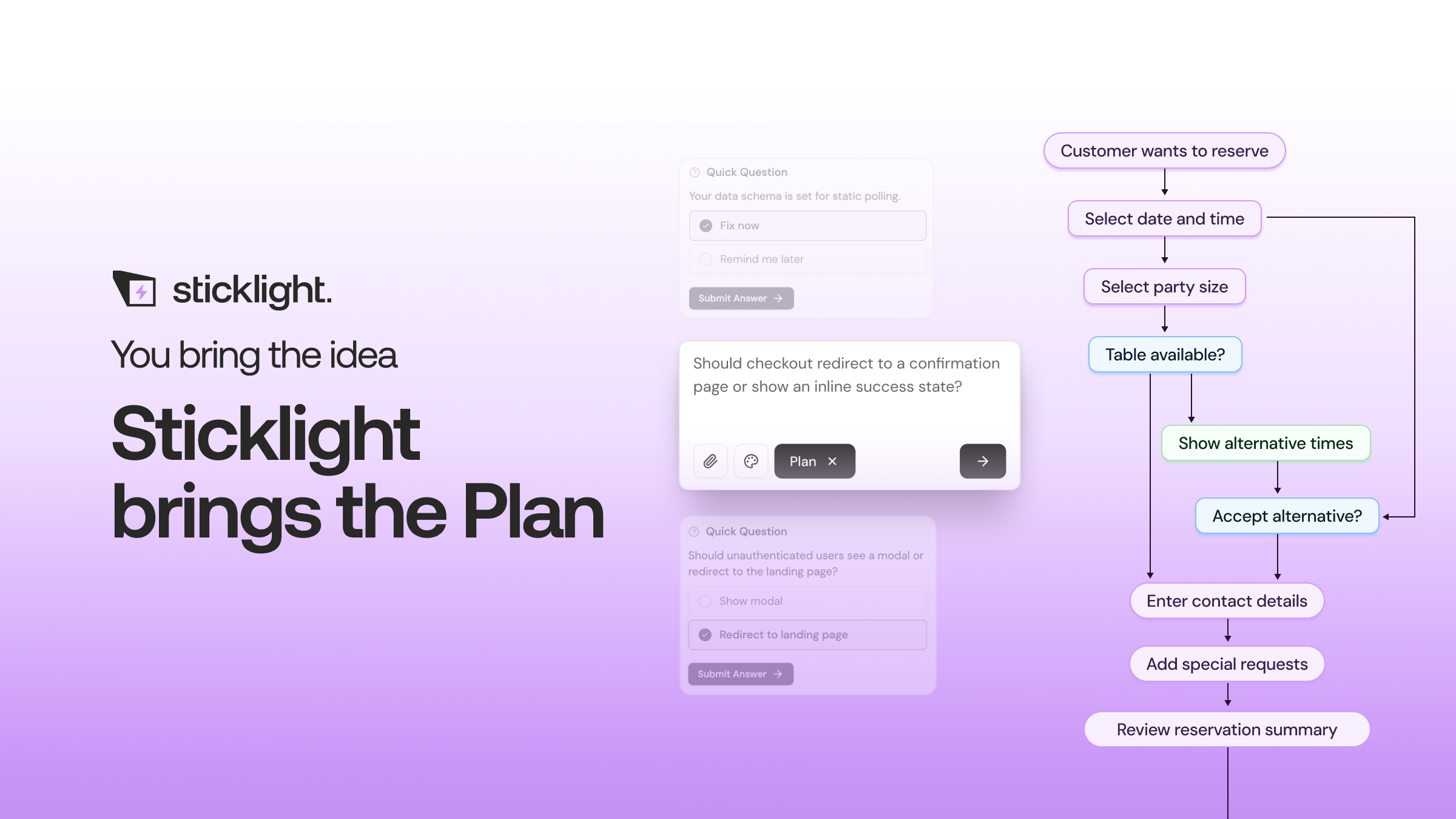
Plan Mode is worth using here, since it exists to simplify a task with this many moving parts before the first prompt goes out.
Refining the build on the canvas
AI does the heavy lifting from the first prompt, but the creator keeps full control of every pixel after that. Once the core experience and the dashboard exist, refining them happens on the canvas, through manual editing and direct code editing where a visual change isn’t enough.
This is the stage where an entertainment app starts to feel like your product rather than a generic starting point. Adjust the feed layout, tighten the player controls, rework the profile screen, or edit the underlying code directly for anything the canvas doesn’t reach on its own.
Adding Skills for performance, accessibility, and design consistency
Skills are packaged units of expert know-how you add to a prompt with one click during the Build phase. For a media-heavy product, a few of the live Skills carry real weight.
The Performance Skill matters because entertainment apps live or die on how fast a feed loads and how quickly playback starts. The Accessibility Skill ships WCAG-compliant markup, focus states, and ARIA, which covers the keyboard navigation and screen reader support a media product needs. The Design System Skill keeps the feed, the player, and the profile screens looking like one product instead of three stitched together.
Skills compound as you keep building. A team’s tenth product on Sticklight tends to move faster and land sharper than its first, because that packaged expertise carries over.
Connecting content and user data
An entertainment app is only as good as the content and account data behind it. Sticklight’s Build phase includes ready-made tools and integrations alongside Connectors, chosen by use case, so the feed and dashboard can work with content and accounts you already have.
Forms and databases do quiet, essential work here too: capturing sign-ups, storing preferences, and giving the admin dashboard something real to manage. Connecting this early, even in a simple form, is what turns a good-looking prototype into a product people can use.
Publishing, and connecting it to your existing WordPress or Elementor presence
Publish is the third pillar, and it covers SEO built in, a security scan on every build, custom domain connection, and app hosting. That means the entertainment app can go live on its own domain, ready to be found and reasonably protected from day one.
If a WordPress or Elementor site already represents the brand, the app doesn’t need to replace it. WordPress works well as the source of truth you build on and connect to, so the new app can sit alongside it, linked from the existing site, sharing the same brand and audience instead of competing with it.
A small project that ships teaches me more than a dozen tutorials that never finish.
Itamar Haim
Built by the Elementor team. Powered by Claude.
Let it glow.
