

Game app development and how to build your own

Game app development is the work of turning a game idea into something players can actually find, log into, and keep coming back to. That covers two very different jobs: building the game itself, the part that runs in real time with physics, rendering, and input handling, and building everything around the game, the marketing site, the player accounts, the leaderboards, and the store that keeps the whole thing running as a business. Most teams underestimate how much of the second job there is.
We want to be direct about where we fit. Sticklight is a vibe-coding platform, built by the Elementor team and powered by Claude, that goes beyond websites and turns a plain-language prompt into production-ready websites, apps, dashboards, and CMS. It does not build the real-time engine your game runs on. What it does well is everything else your game needs on the web, and for most studios that is a bigger project than people expect.
- Game app development splits into the real-time game itself and the web layer around it, and they need different tools.
- Dedicated game engines remain the right choice for real-time rendering, physics, and cross-platform game builds.
- Sticklight builds the web ecosystem around a game: marketing sites, player accounts, leaderboards, and store dashboards.
- Skills add packaged expertise, like SEO or 3D Web Experience, to any prompt during the build.
- An existing WordPress or Elementor site stays in place, and Sticklight builds on top of it instead of swapping it out.
- You keep full control after the first build, editing every page and every dashboard by hand.
What game app development actually involves
When people say game app development, they usually mean the whole stack: the playable build, the account system, the payment or store logic, the community around it, and the pages that get players there in the first place. Each of those pieces has its own technical demands. A real-time combat system and a player leaderboard page do not share much behind the scenes, even though they feel like one product to the player.
Splitting the problem this way is useful because it tells you where to spend engineering time and where you can move faster. The game loop is where your differentiation lives. The site, the accounts, and the dashboards are infrastructure that every successful game eventually needs, and building that infrastructure well does not require reinventing it from scratch each time.
Where a dedicated game engine is the right call
We are candid about this because it matters for your planning. If you are building a real-time game with physics, custom rendering, multiplayer netcode, or console and mobile-native builds, that work belongs in a dedicated game engine. Tools built for that job handle frame timing, asset pipelines, and platform certification in ways a web app builder is not designed to do.
Sticklight does not replace that engine. It is not the tool for your combat system, your shader work, or your matchmaking server. Treating it as a game engine substitute would set the wrong expectation, so we would rather be upfront: the engine stays yours, and Sticklight picks up from there.
The marketing and launch site your game needs
Every game, whether it ships on mobile, console, or the web, needs a home base that is not the store listing. A launch site is where you control the pitch, host trailers and screenshots, run your press kit, and capture email signups ahead of release. Store pages are constrained by platform templates. Your own site is not.
With Sticklight, you can prompt a launch site into a working draft, then build on it with the SEO Skill for organic search visibility and the Copywriting Skill for the pitch itself. Because Sticklight ships production-ready output, not a demo, the site is meant to hold up under real traffic on launch day, not just look right in a preview.
If your studio already runs a WordPress site for the brand or the blog, Sticklight connects to and extends that existing setup rather than asking you to start over. The site you already have stays the source of truth, and Sticklight adds to it.
Player accounts, profiles, and login
Once a game has an audience, players expect a place to manage their identity: a profile page, saved preferences, friend lists, and a login flow that works across devices. That account layer is a standard web app problem, and it is exactly the kind of app Sticklight is built to produce from a prompt.
You can describe the account structure you need, sign-up and login flows, profile pages, password reset, and get a working app you then edit by hand. Full control after the build matters here, because account systems are where small details, like how an error message reads or how a profile field validates, tend to need real craft rather than a generic template.

Leaderboards and live game data
Leaderboards are one of the clearest reasons a game needs a proper web app rather than a static page. They update constantly, they need to query and sort data quickly, and players check them often enough that the experience has to feel responsive.
Building a leaderboard as a Sticklight app means you get a dashboard that reads live data, ranks it, and presents it cleanly, with the same prompt-to-build flow you would use for any other data-backed page. Because this runs as an app rather than a static page, you can extend it later: seasonal resets, regional boards, or a public API for the leaderboard, without starting the project over.
Store and economy dashboards
Any game with an in-game economy, currency, cosmetics, battle passes, or a marketplace, needs internal tooling to manage it, even before it needs a public storefront. Someone on the team has to see what is selling, adjust prices or drops, and track how the economy is behaving over time.
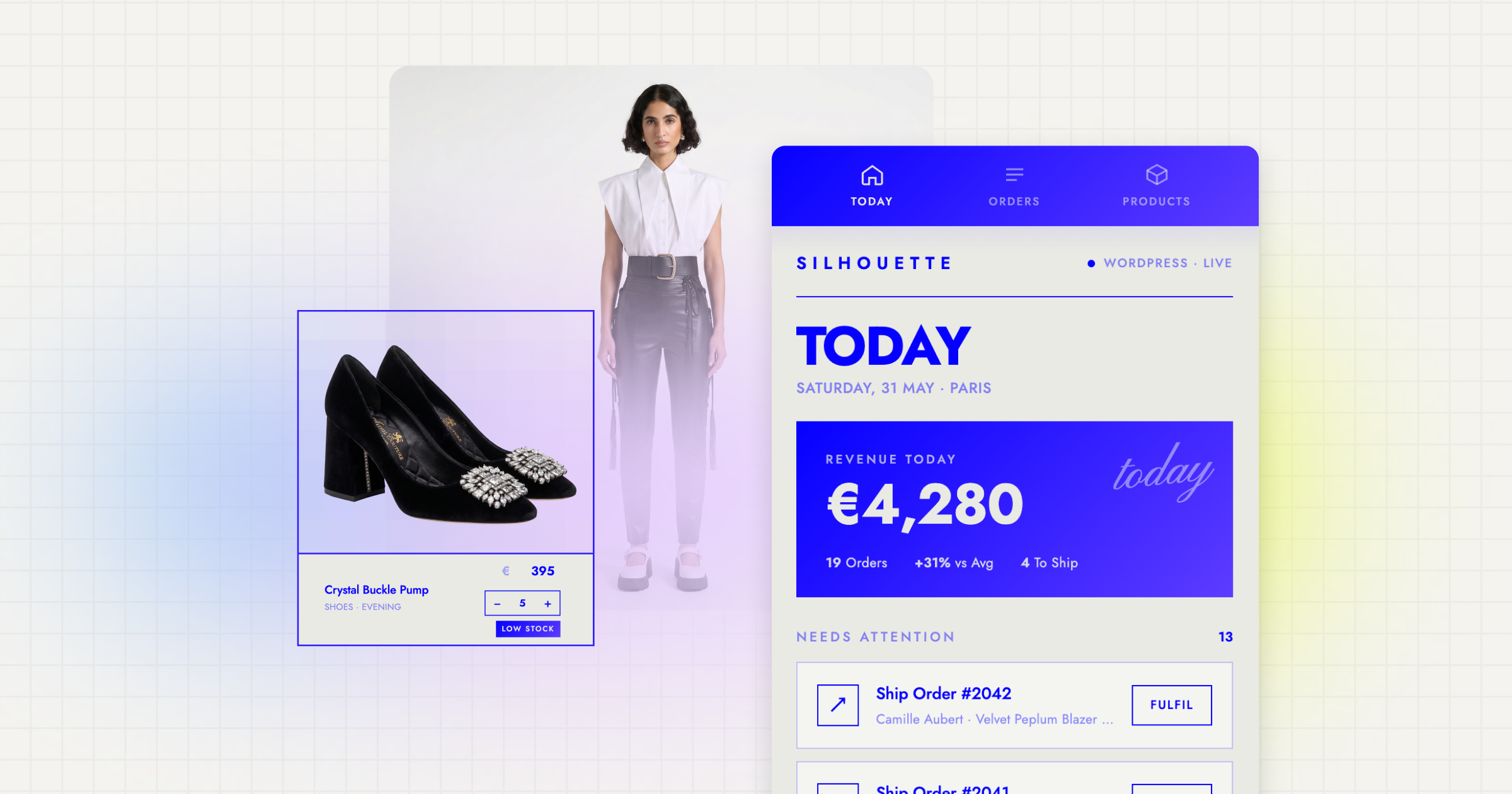
This is a natural fit for Sticklight’s dashboard and internal tools capability. You can prompt an admin dashboard that shows store performance, lets the team adjust listings, and surfaces the numbers that matter for balancing the economy. The same platform that built your public leaderboard can build the private tool your team uses to keep it healthy.
Community pages and lightweight 3D web experiences
Beyond accounts and leaderboards, most games benefit from a community layer: patch notes, forums or discussion embeds, event pages, and fan content hubs. These pages keep players engaged between updates and give your community a place to land that you control.
For games that want a taste of the game world on the web itself, without asking Sticklight to be a game engine, the 3D Web Experience Skill (built on Three.js) is one of the nine Skills currently live on the platform. Skills are packaged expertise you add to a prompt with one click, so you might use it to build an interactive character viewer, a rotating item showcase for your store page, or a lightweight 3D scene on your launch site. It is meant for these kinds of accents on the web, not for running your actual gameplay.
The engine runs your game. Sticklight runs the web around it.
Tools change every few months, but the habit of staying curious through real confusion never does.
Itamar Haim
Built by the Elementor team. Powered by Claude.
Let it glow.
